WorkingBands.ai features
Rocky
A helper on every owner page. Ask about your saved records and get short answers that link to their sources, see one quiet tip when something needs you, and have Rocky draft small changes that save only when you press Apply.
Who it is for
For band owners checking a booking detail, catching up on an inquiry or getting a small job done without hunting for the right page.
Inside the workspace
2 real screens from the tool
How to start
- Press the Rocky button in the corner of any owner dashboard page. Rocky opens in a side panel, or a bottom sheet on a phone, and knows the page you are on. On a booking, tour, venue, inquiry, quote or band profile, it looks at that record first.
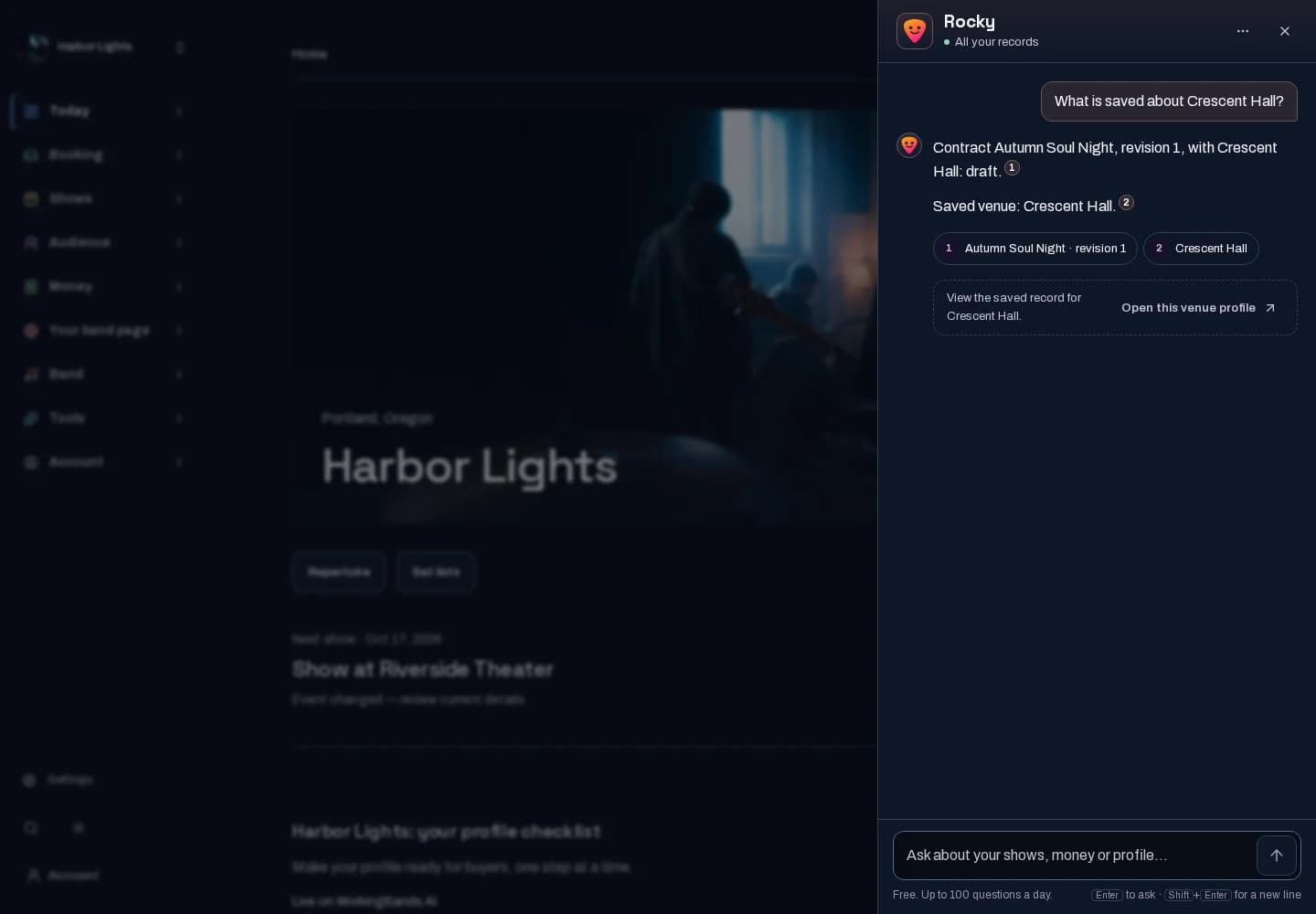
- Ask in plain words. Use a name, or a date like Saturday, this week or next month, and ask a follow-up about the same thing. Rocky searches a limited set of your saved in-app records and answers in a few short sentences, each linked to its source. When nothing matches, it says so.
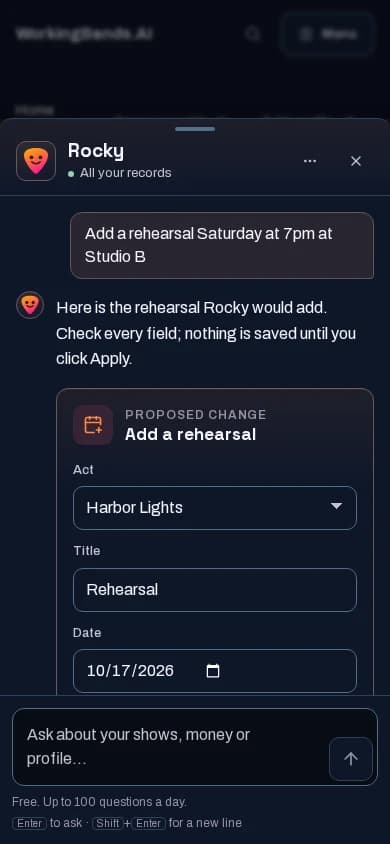
- Ask Rocky to do something: improve your bio or press copy, save a reply draft, add a rehearsal, add a tour task or log an expense. Rocky shows the exact change, and you can edit it first. Nothing is saved until you press Apply, and a reply draft is never sent.
New here? Get your free EPK. Already set up? Open the dashboard workspace.
Questions before you start
Which records can Rocky use?
Confirmed bookings and the deposits and balances recorded on them, booking requests, quotes, contracts, venues, in-app inquiries and the messages you sent from the app, CRM contacts and notes, tours with their production and load-in details, document names and expiry dates, expenses, payouts, settlements, roster packages, rehearsals and availability polls, availability windows, setlists and repertoire, gear and compliance dates, tour tasks, credentials, lodging and travel, and your profile and press-kit readiness. For how-to questions it also uses a short guide to the tools on this site. Money records describe saved tracking, not money movement. Answers are limited to records you can access on this site.
What can’t Rocky see?
Anything not saved in the app. It does not read the contents of uploaded files, only their names, types and expiry dates. It does not read messages that reach you outside the app, such as forwarded mail. Rocky does not search the web.
Can Rocky change things for me?
Only when you say so. Rocky can improve your bio or press copy, save a reply draft, add a rehearsal, add a tour task or log an expense, where those tools are available to you. It shows the exact change first: added and removed words in copy, and every field of a new record. Nothing is saved until you press Apply, and Cancel saves nothing. A reply draft waits in the reply composer; Rocky never sends it. Each change goes through the same checks and permissions as making it yourself.
What are Rocky’s tips?
When something needs you, Rocky shows one small tip by its button: an inquiry waiting more than a day for a reply, a rehearsal poll people have not answered, About copy too short to publish, or a profile still missing photos or another publishing step. Each tip offers one next step and stays out of the way while you type. Choose Not now to hide it for a week, or Don’t show this again. On a waiting inquiry, Not now snoozes that inquiry for a day, the same as Snooze on the inquiry page, so its reply reminder waits too; snoozing or dismissing an inquiry there quiets its tip. Turn all tips off from Rocky’s menu or in Settings. Tips use no AI.
Can Rocky find upcoming dates?
Ask about today, tomorrow, a weekday, this weekend, this week, next week or next month, or ask for your next rehearsal or what expires in the next 30, 60 or 90 days. Rocky uses the dates saved on your records. Repertoire does not record a last-played date, so Rocky cannot verify when a song was last performed.
How do I check an answer?
Every sentence links to the records it came from. Open them to verify. If Rocky cannot tie an answer to its sources, it does not show that answer. Saved answers reflect the records when you asked; ask again for current details. Search is bounded, so no match does not prove a record does not exist.
What does it cost?
Questions are currently free: up to 100 a day, with no credits charged for questions. No Owner Suite subscription required. Bio and press-copy drafts use 1 credit each, the same as Copy assist. Tips use no AI and do not count as questions.
How much conversation history can I see?
Your 30 most recent conversations appear in Rocky. An opened conversation shows its latest 100 questions. Conversations are private to your account on this site.